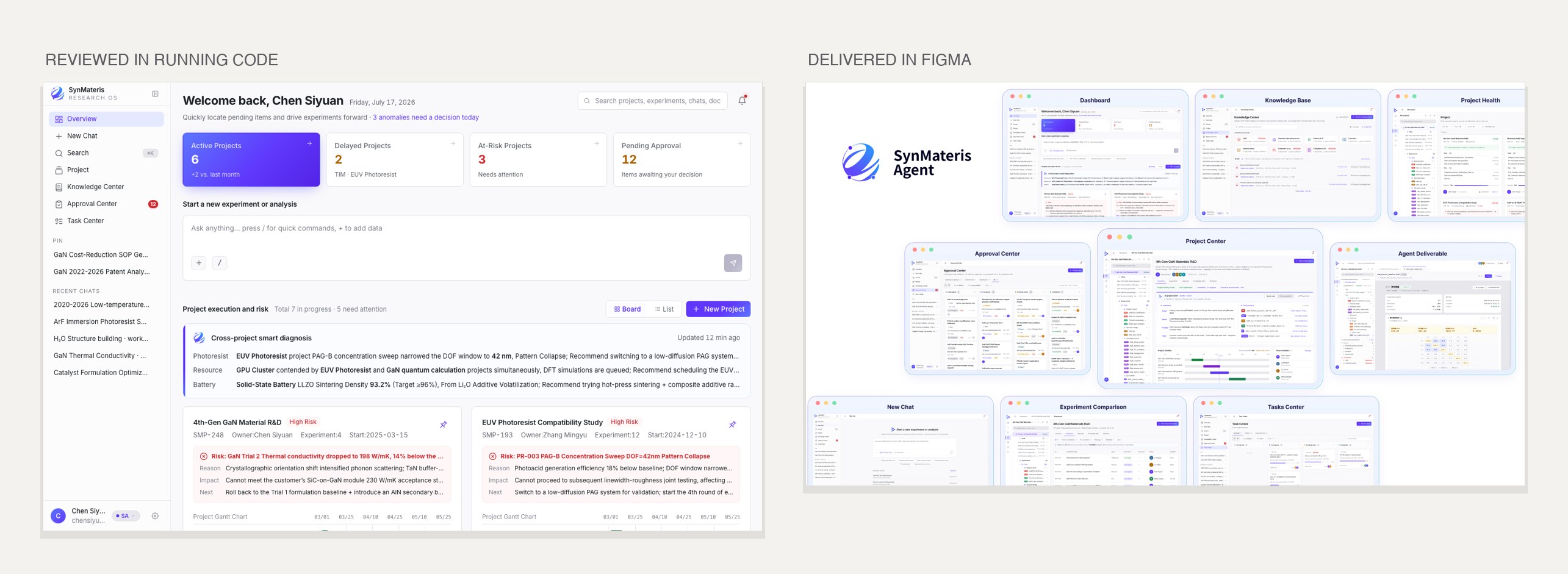
An AI co-scientist for semiconductor and materials R&D that carries a project from a target property to a recipe you can actually manufacture. I researched, designed, and prototyped it in code, end to end.

AI can now predict new materials by the million. Almost none of them can be made. The teams I designed for call it the gap from design to pilot production, and it is where a new material still loses the better part of a year: slow trial and error, expert knowledge that does not transfer, results scattered into data islands.
But the deeper problem is not that the tools do not connect. It is that a scientist will not stake their name on an output they cannot see into, question, or overrule. For an expert, an AI you cannot verify is not a tool, it is a liability. So the hard part was never raw intelligence. It was trust, control, and accountability. That made it a UX problem before a technical one.
Trust is a behavior, not a screen, and no static mockup can prove it. So every direction call and every design review ran on a vibe-coded, interactive build, something that actually behaved, not a picture of it.
I used AI as a design collaborator, not a shortcut, refining in running code instead of on paper. So every decision below was pressure-tested on something that actually behaved, long before it was ever a finished spec.
What emerged was not a chatbot but a lab the scientist steers, where the AI does the work and the human stays in command. Earning that from a trained skeptic came down to four moves. Each one answers a reason they would not switch it on.
Scientists will not stake their reputation on a result they cannot examine. So I designed every result to carry its sources, its reasoning, and how confident it is, and to flag for review anything uncertain instead of hiding it.
It makes the interface denser than a clean chat. I made that call on purpose: showing the work is what turns a skeptical expert's caution into trust.
An answer you cannot check is not a result. It is a very confident guess.


Next, the fear of an AI that acts before you can stop it. So I designed it to propose, never to commit: a generated result opens as something the scientist can edit by hand, and nothing is final until a person approves it.
Yes, that adds steps a fully automated flow would skip. But in high stakes work, a system experts cannot steer is one they will not adopt. I chose trust over speed.
I found the exact handoff points by building the prototype and using it. You cannot feel where a human needs to step in from a static mockup.
Then the cost of making an expert relearn how they work. The job had lived across six separate tools, so I pulled it into one dual-panel workspace: the conversation on the left, the live lab on the right, files, tool outputs, the editor, and the knowledge base. Every result files itself, so the next person starts where the last one left off. The information design had one goal, make a dense expert domain feel like one calm place, not a cockpit.

And experts distrust a vague chat box for precise work. So I designed a command line: precise, fast, and scriptable. One instruction chains tools, the workspace and context stay one action away, and every step stays visible.
The only thing to learn is how to say what you want.
I built it to design it. I typed real commands, hit the dead ends an expert would, and reshaped it in the same loop. The tradeoff is a steeper start for a beginner, in exchange for real speed for the expert it is built for.

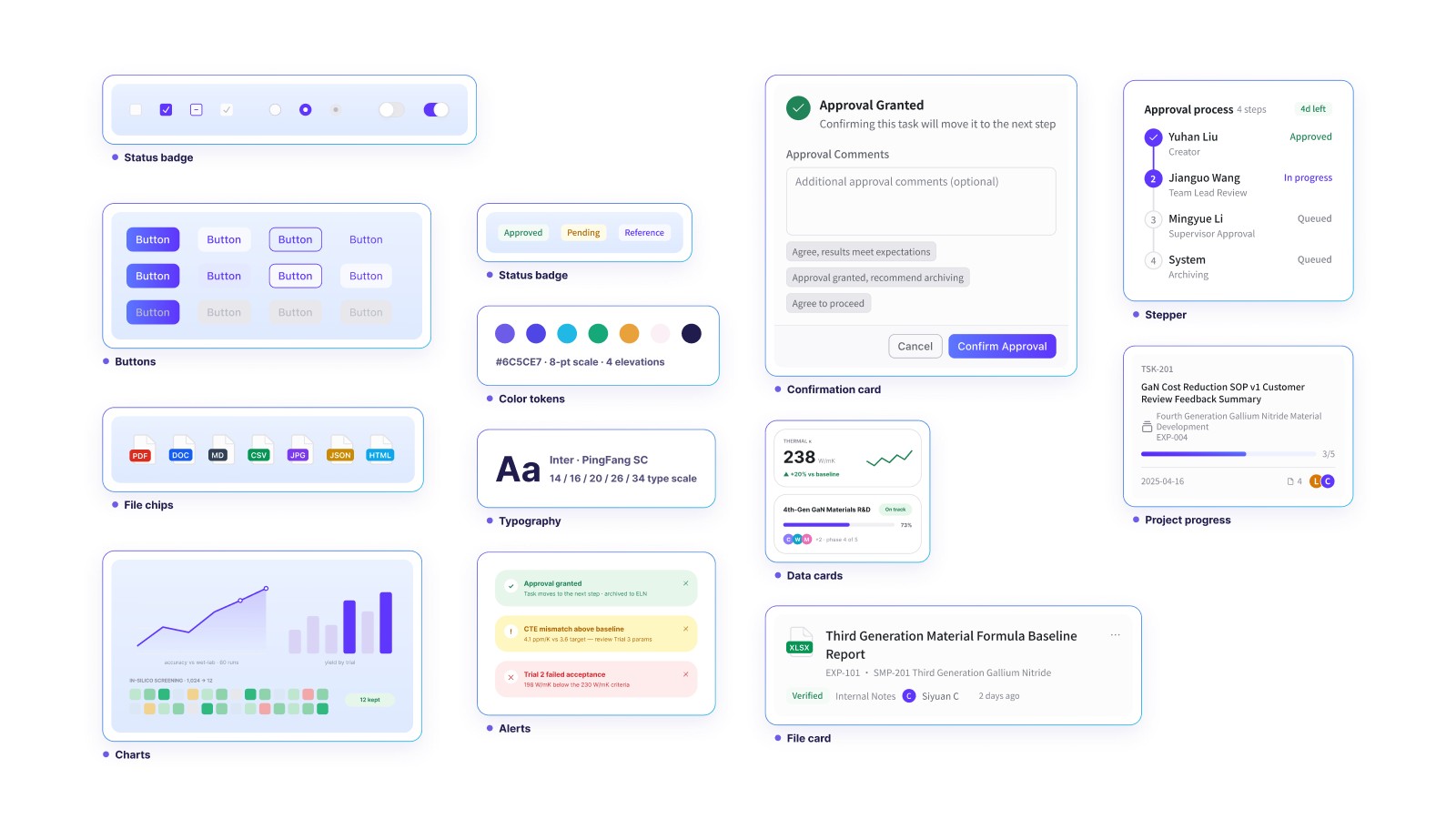
A product this dense drifts without discipline. Most research software equates power with clutter, so I went the other way, a quiet interface that stays readable across 100+ screens. I built one design system, tokens shared between Figma and code, a 4 pixel grid, and a fixed set of radii. The audit came back with zero ad hoc values.
The platform I designed the experience for reports about 90% prediction accuracy and 70% faster R&D at ¥1,000 a month, deployed with national energy, chemical, and semiconductor enterprises. Those are SynMatAI's figures, not mine. What my design changed is different: an autonomous engine a skeptic would never switch on became a system they will, because they can see into it, question it, and overrule it.